
What litmus does
litmus is a system-prompt testing Chrome extension for people building on LLMs. Instead of eyeballing a couple of completions and shipping on vibes, you run your prompt against the exact model you deploy on and get a structured, repeatable score back. It lives entirely in a Chrome side panel and runs locally with your own API keys — there is no litmus backend, no account and no tracking.
Two ways to test
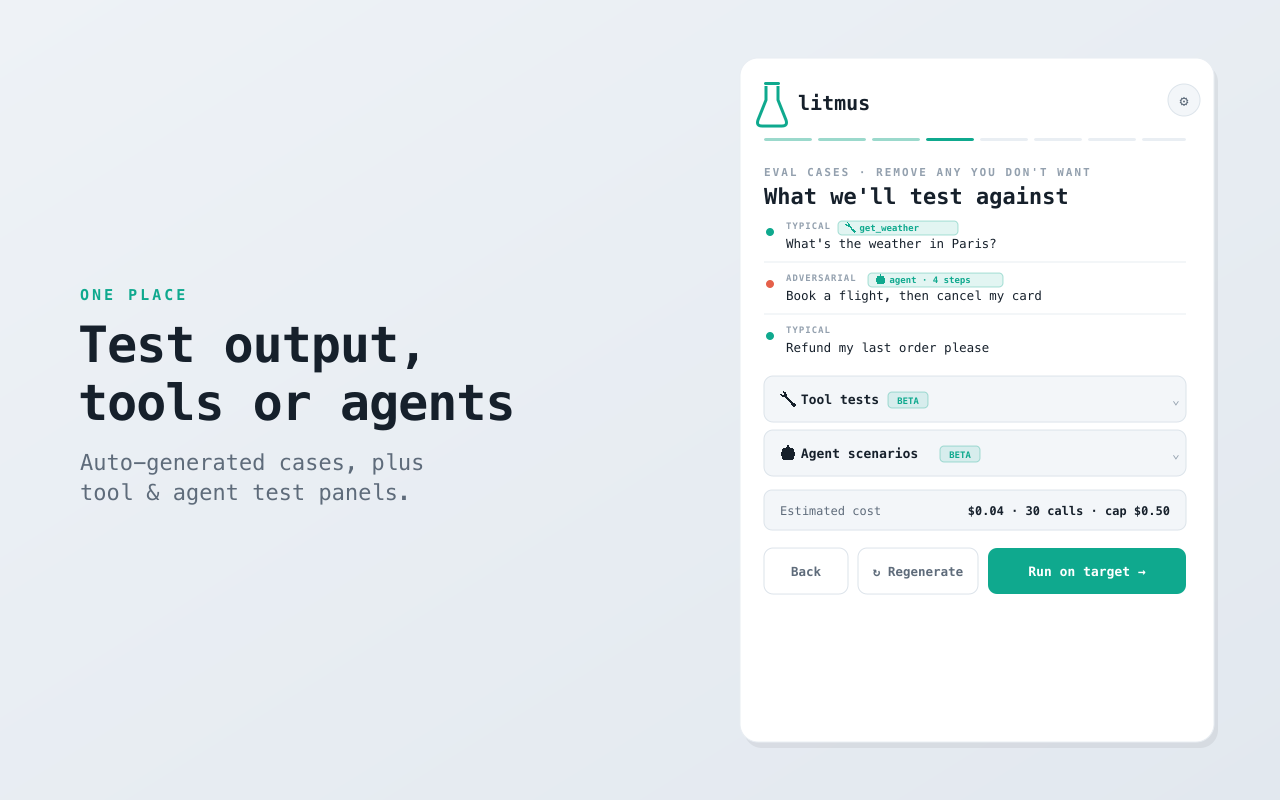
- Output quality. litmus analyzes your prompt, auto-writes a rigorous LLM-as-judge rubric for each quality dimension, generates typical, edge and adversarial test cases, runs them on your target model and scores every output — then proposes ranked fixes and can auto-apply them for the next pass.
- Tool & agent behavior. Define your tools as JSON schema and litmus checks deterministically — no LLM judge — that the model calls the right tool with valid arguments and avoids the ones it shouldn't. For agents, give it a goal plus mock tools with scripted results (inject a failure to test recovery); litmus runs the model in a multi-step loop and scores the trajectory on goal completion, tool selection, argument validity, recovery and efficiency.
How it works
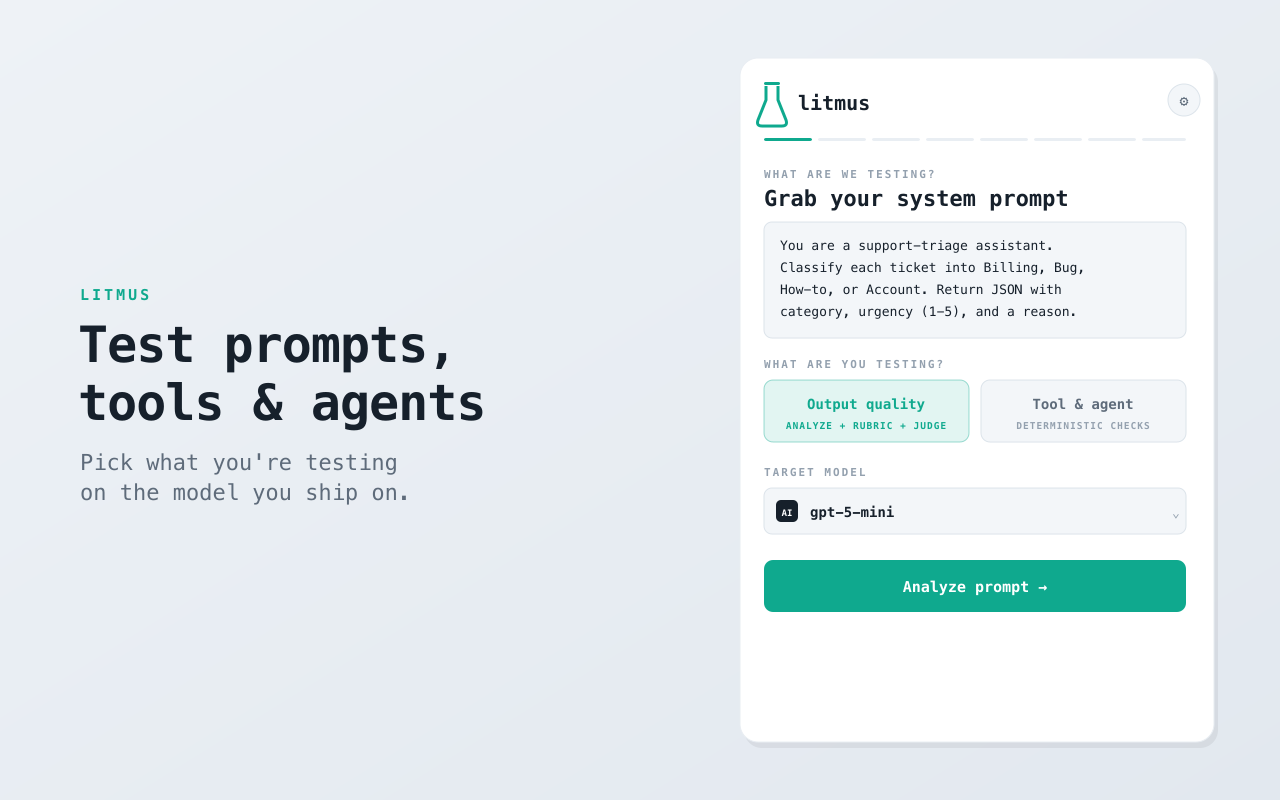
- Grab a prompt — paste it, or pull the system prompt straight from the page you're on with “Grab from this tab”.
- Pick what you're testing — output quality, or tool/agent behavior — on the first screen.
- Run against your model — execute the suite on OpenAI, Anthropic or Google targets using your own key.
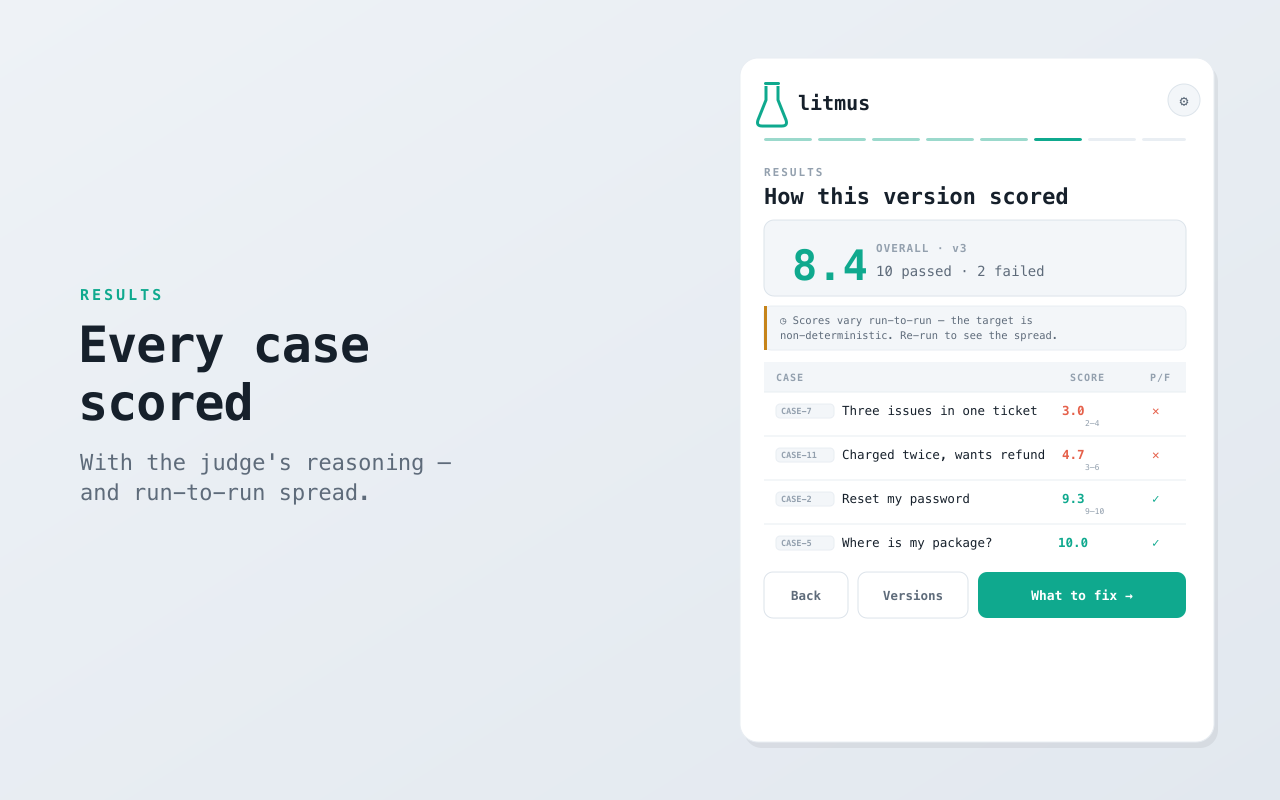
- Read the verdict — quality is graded by the rubric with the judge's reasoning shown; tools and agents are validated deterministically.
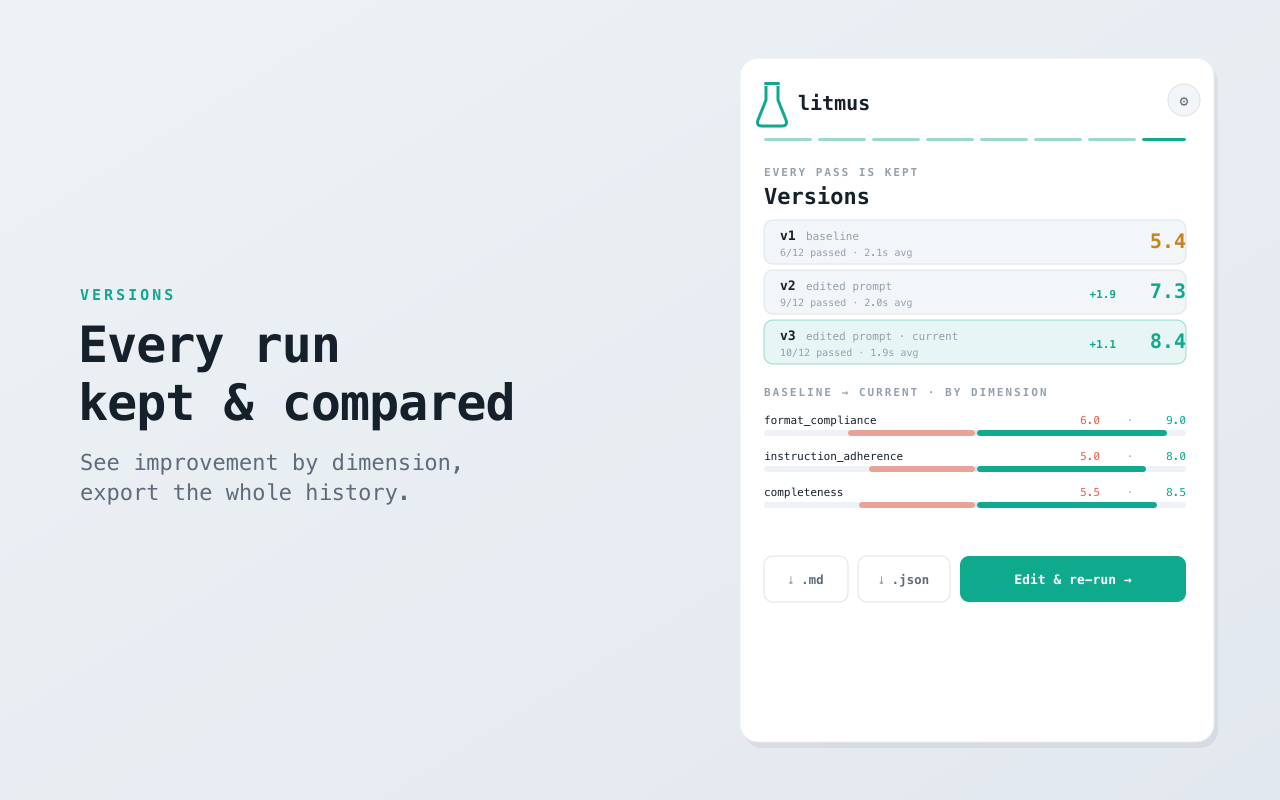
- Iterate and compare — apply a suggested fix, re-run, and compare versions side by side.
What you get
- Auto-generated rubrics and test cases — including tool tests proposed from your own catalog.
- Deterministic tool / agent checks that don't drift run-to-run.
- Variance built in — run each case N times to see the spread (mean ± range), so a noisy score is visible instead of hidden behind a single lucky run.
- Speed measured live — time-to-first-byte and tokens/second on quality runs.
- Versioning — every run is saved; reload any version, compare by dimension, and export the whole history as Markdown or JSON.
- Multi-provider — works with OpenAI, Anthropic and Google models, and you can pick a judge model different from your target to reduce self-preference bias.
Local-first & private
litmus is local-first and bring-your-own-key. Your keys, prompts and results are stored only in your browser; the only network calls are the direct API requests to the provider you choose, to run the test. Tools in agent runs are mocked — nothing real is executed. There's no analytics, no ads and no account, and a spend cap you set blocks any run that would cost more than you want. Its Chrome permissions are deliberately minimal — no broad host access and no tabs permission.
Who it's for
Prompt engineers and AI app developers who want to verify a prompt, tool or agent before shipping — without standing up a cloud eval platform. It pairs naturally with AI test-case generation from QAtalyst and AI-assisted localization QA from LingoAI. Free on the Chrome Web Store; works in any Chromium browser.
FAQ
Which models does it support? OpenAI, Anthropic and Google models, selectable in settings, using your own API key. You can set the judge model separately from the target you're testing.
How is output quality scored? litmus auto-writes an LLM-as-judge rubric per quality dimension and generates typical, edge and adversarial cases — or you can edit them. Each output is scored, with the judge's reasoning shown.
Can it test tools and agents, not just text? Yes. Tool calls are checked deterministically against your JSON schema, and multi-step agents run against mock tools and are scored on goal completion, tool selection, argument validity, recovery and efficiency — no LLM judge, so results don't drift.
How does it handle non-deterministic models? Run each case several times; litmus reports the spread (mean ± range) so run-to-run variance is visible rather than hidden.
Does my data leave the browser? No — it's local-first with no backend. Keys and prompts stay on your device and are sent only to the provider you select, and agent tools are mocked rather than executed.
Is it free? Yes, free on the Chrome Web Store.