
What paintBrush is
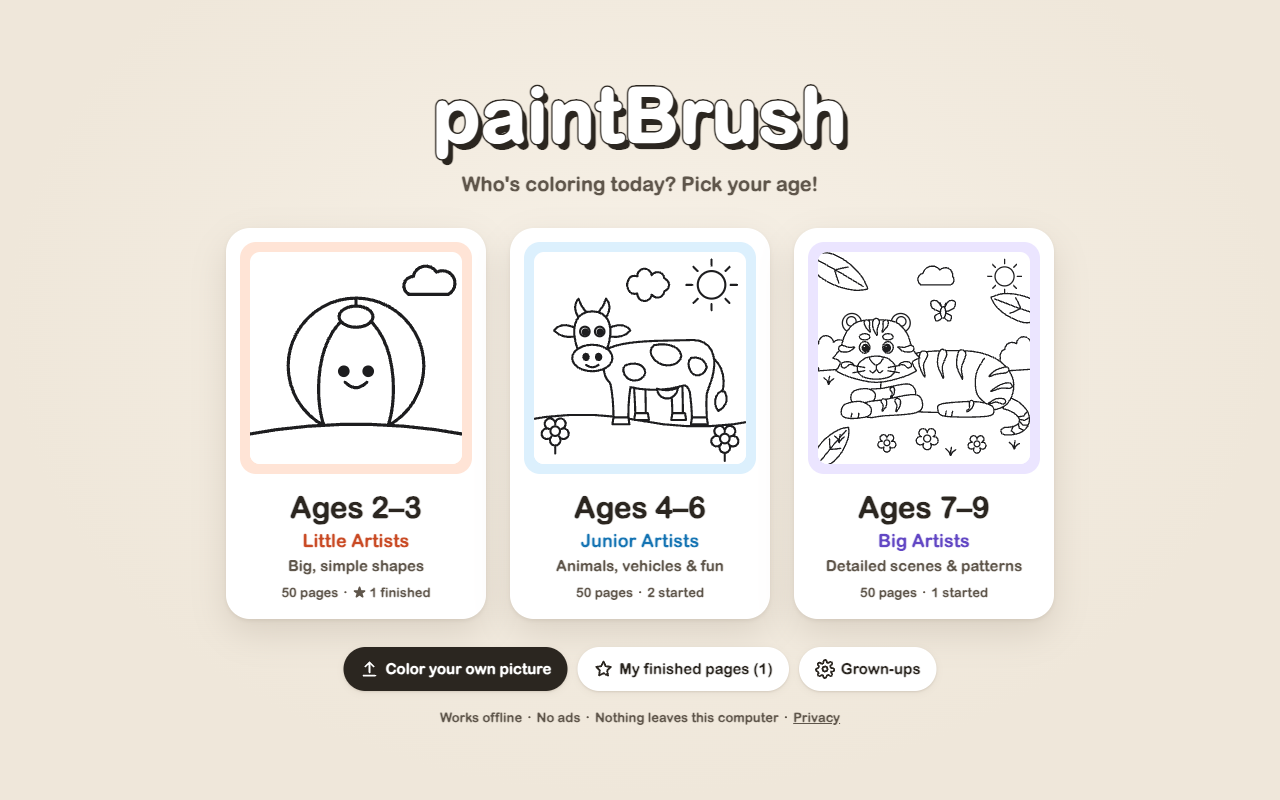
paintBrush is a cozy, distraction-free digital coloring book designed for children and families. Opening in a new browser tab with one click on the toolbar icon, it offers 150 offline illustrations spanning three distinct developmental age tiers. Kids simply pick a book, select a crayon, and tap to fill shapes without any frustrating slips or messy borders.
Built with privacy and safety as first principles, paintBrush operates 100% offline. It never loads advertisements, has zero telemetry or analytics beacons, requires no accounts or logins, and never transmits data outside your computer.
150 Pages for Three Age Groups
- Ages 2–3 “Little Artists” (50 pages) — Big, chunky shapes and extra-thick line art specifically calibrated for small fingers and developing motor skills.
- Ages 4–6 “Junior Artists” (50 pages) — Engaging themes including farm animals, wild creatures, ocean friends, vehicles, and everyday playful scenes.
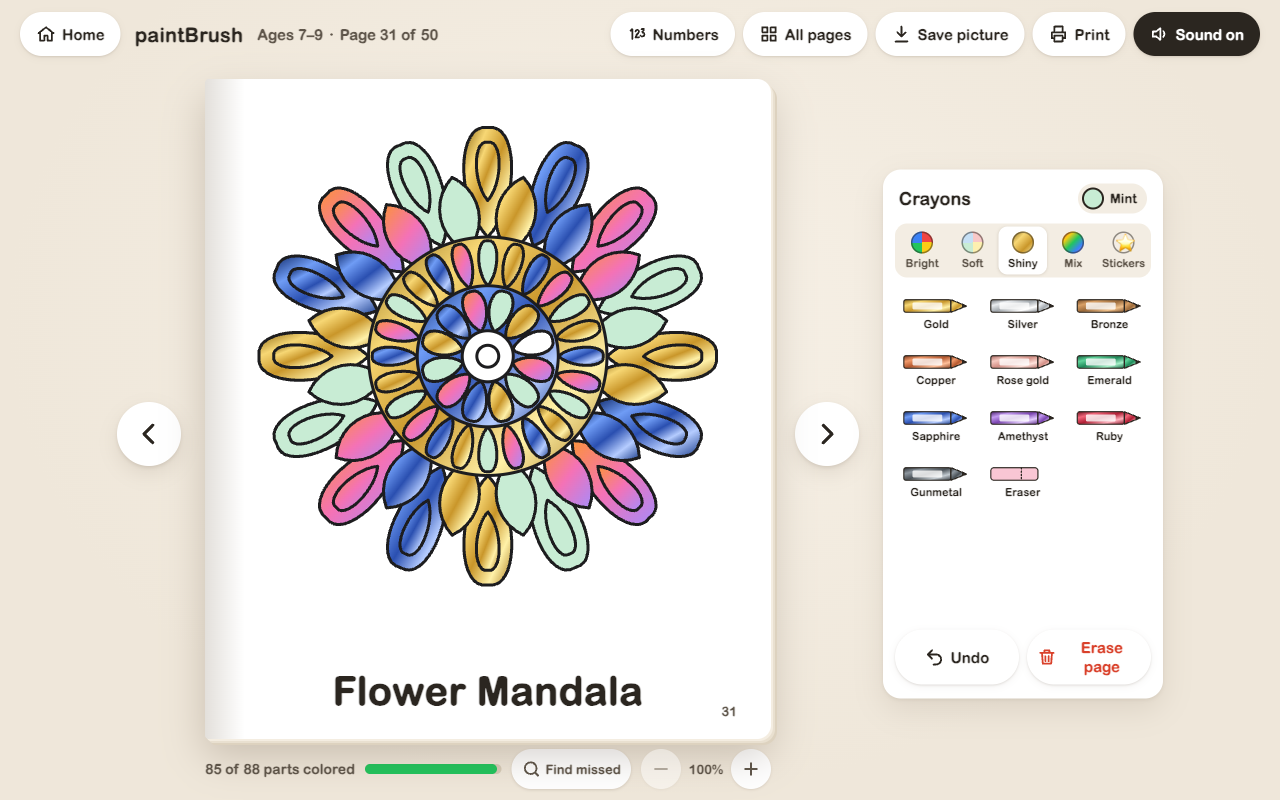
- Ages 7–9 “Big Artists” (50 pages) — Intricate compositions, prehistoric dinosaurs, fantasy adventures, world landmarks, and detailed mandala patterns.
Made for Little Hands
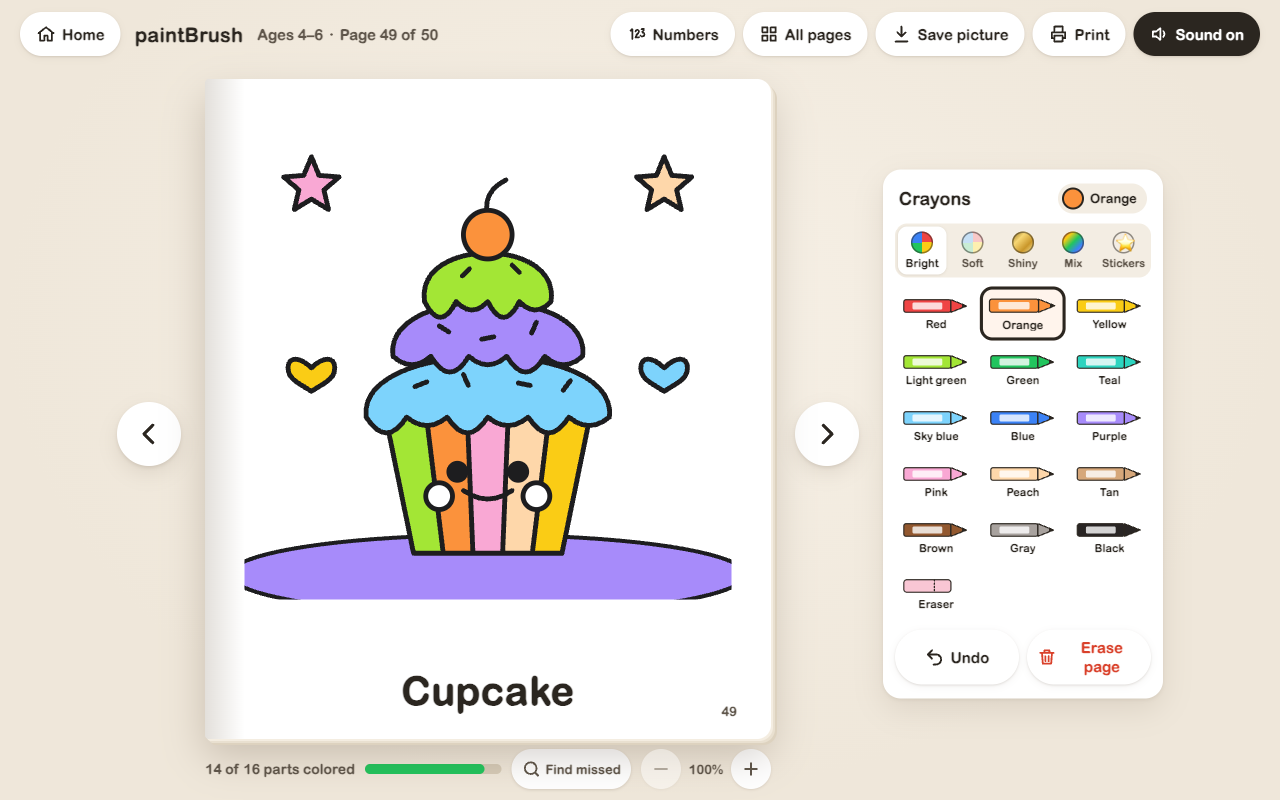
- Tap-to-Fill Mechanics — Tap any enclosed area to fill it instantly, preventing frustration and accidental out-of-line scribbles.
- 50 Crayons across 4 Boxes — Includes Bright (classic primaries and secondaries), Soft (gentle pastels), Shiny (metallic gold, silver, ruby, bronze, copper, rose gold, emerald, sapphire, amethyst, and gunmetal), and Mix (gradient shades like rainbow, sunset, ocean, candy, fire, galaxy, aurora, berry, forest, and tropical).
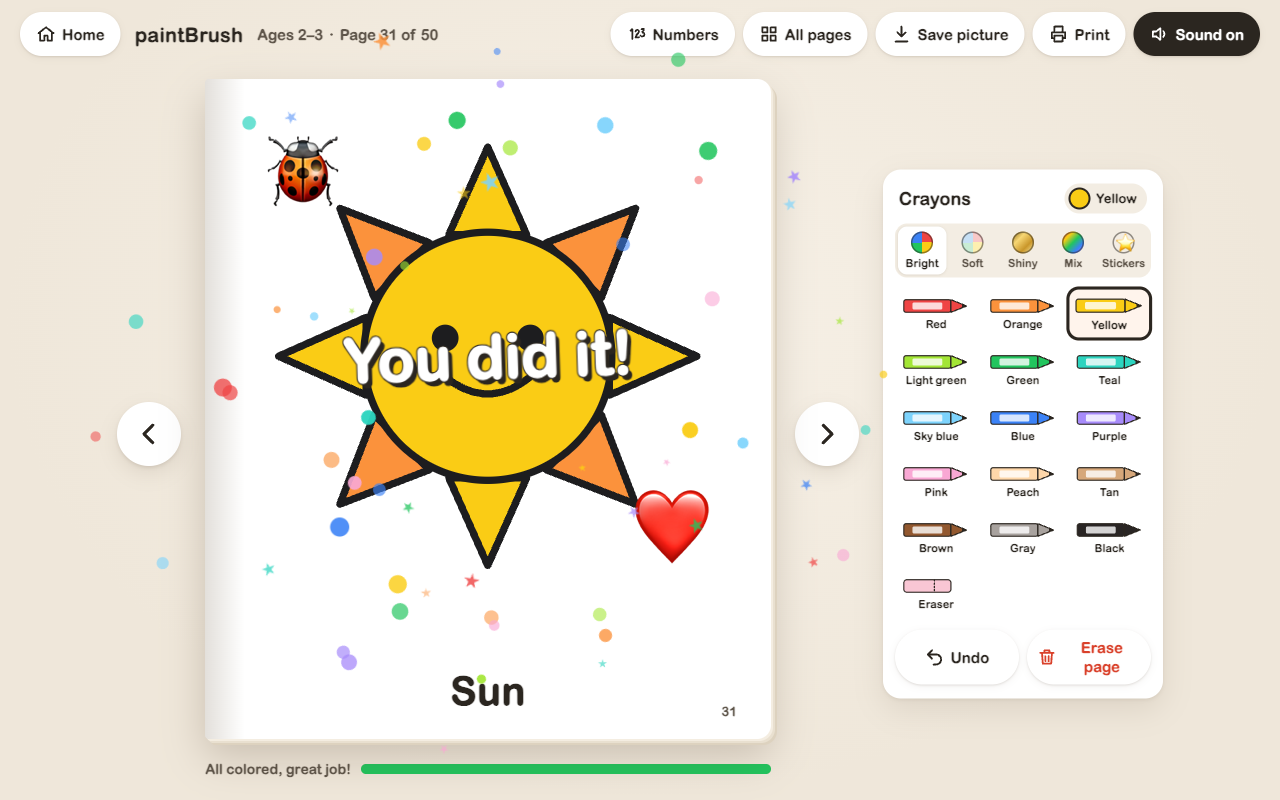
- Stickers for Extra Flair — Decorate completed artwork with collectible stamps and stickers including ladybugs, hearts, and stars.
- Color-by-Number Mode — Follow numeric color guides to practice numbers and unveil hidden illustrations step-by-step.
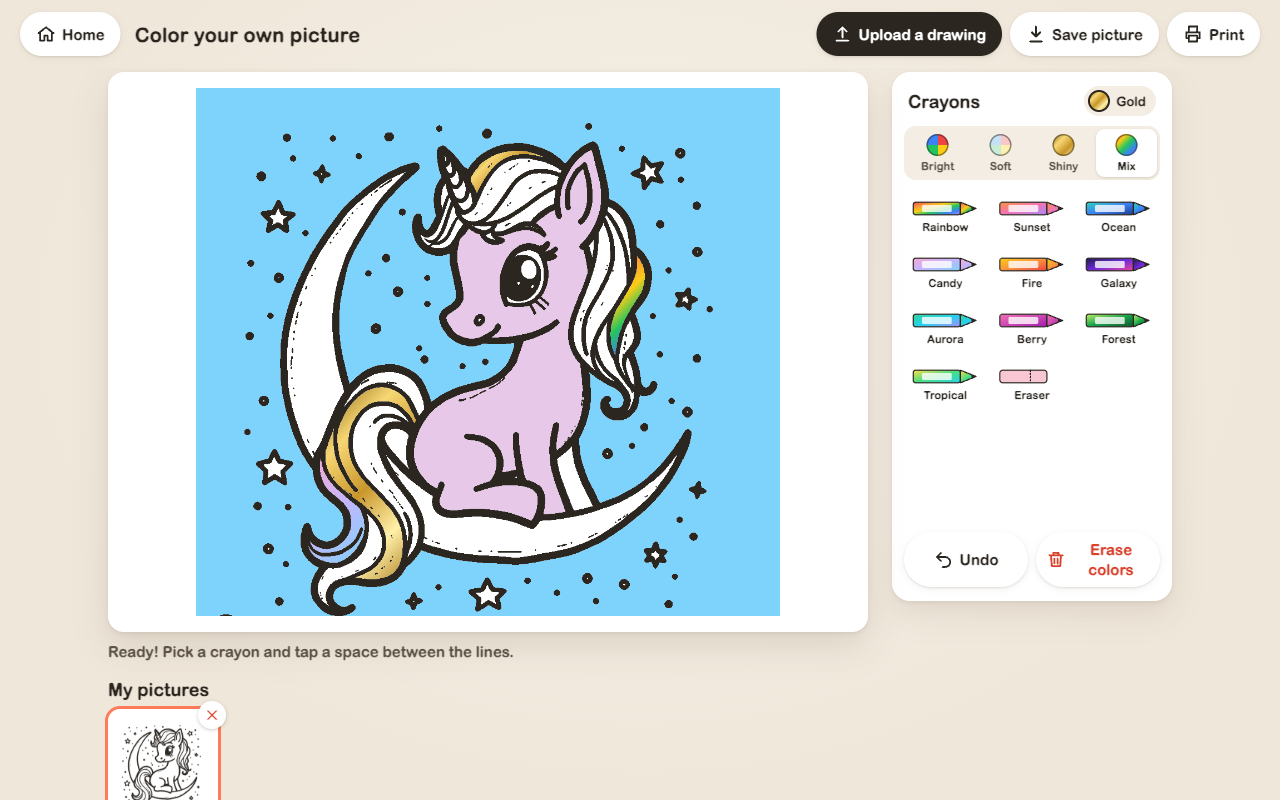
- Color Your Own Picture — Upload any black-and-white line drawing from your device. The drawing is converted to an interactive coloring canvas locally on your computer with zero uploads.
- Zoom & “Find Missed” Helper — Smooth zoom controls and an intuitive helper that highlights tiny uncolored spots before finishing.
- Sparkly Celebrations — Complete every section to trigger an energetic “You did it!” celebration animation and earn a persistent gold star for that page.
- Natural Book Navigation — Flip through illustrations sequentially like turning pages in a physical paper book.
Made for Grown-Ups Too
- Save & Print Artwork — Export any colored masterpiece as a high-resolution image to save or share, or print directly to paper.
- Print Blank Coloring Sheets — Print any uncolored page directly to your home printer to enjoy traditional coloring with physical crayons.
- “My Finished Pages” Gallery — A dedicated portfolio gallery keeping track of all completed artwork in one organized place.
- Safe Undo & Erase Guard — Undo history survives closing and reopening the tab, accompanied by a two-step confirmation dialog before clearing any page.
- Optional Parent Lock — Enable an adult challenge question before exiting a book or resetting artwork to prevent accidental taps.
- Sound Effects with Quick Mute — Responsive acoustic sound effects with an instant mute toggle conveniently located in the header.
Private by Design
Children’s digital safety should be uncompromising:
- 100% Offline: Operates entirely without network access. Once installed, it never initiates outbound internet connections.
- Zero Data Collection: No ads, no commercial tracking, no telemetry, and no account or personal data collection.
- Local Computer Storage: Completed pictures and progress persist strictly in local browser storage on your machine.
- Single Extension Permission: Requests only the standard Chrome
storagepermission to remember your child’s drawings across sessions.
FAQ
Does paintBrush require an internet connection? No. paintBrush is completely offline and works without Wi-Fi or cellular data once added to Chrome.
Are there any hidden costs, subscriptions, or ads? No. paintBrush is 100% free with no in-app purchases, paid unlocks, or third-party advertisements.
Can I print pages to color on real paper? Yes. You can print any page blank for traditional crayon coloring or print out finished artwork.
How does “Color your own picture” work? Click the button to select any black-and-white line image from your computer. The image is processed in your browser memory and never uploaded anywhere.
What permissions does the extension require? Just one: Chrome’s standard storage permission to save your child’s colored pages on your computer.