
What Tracely does
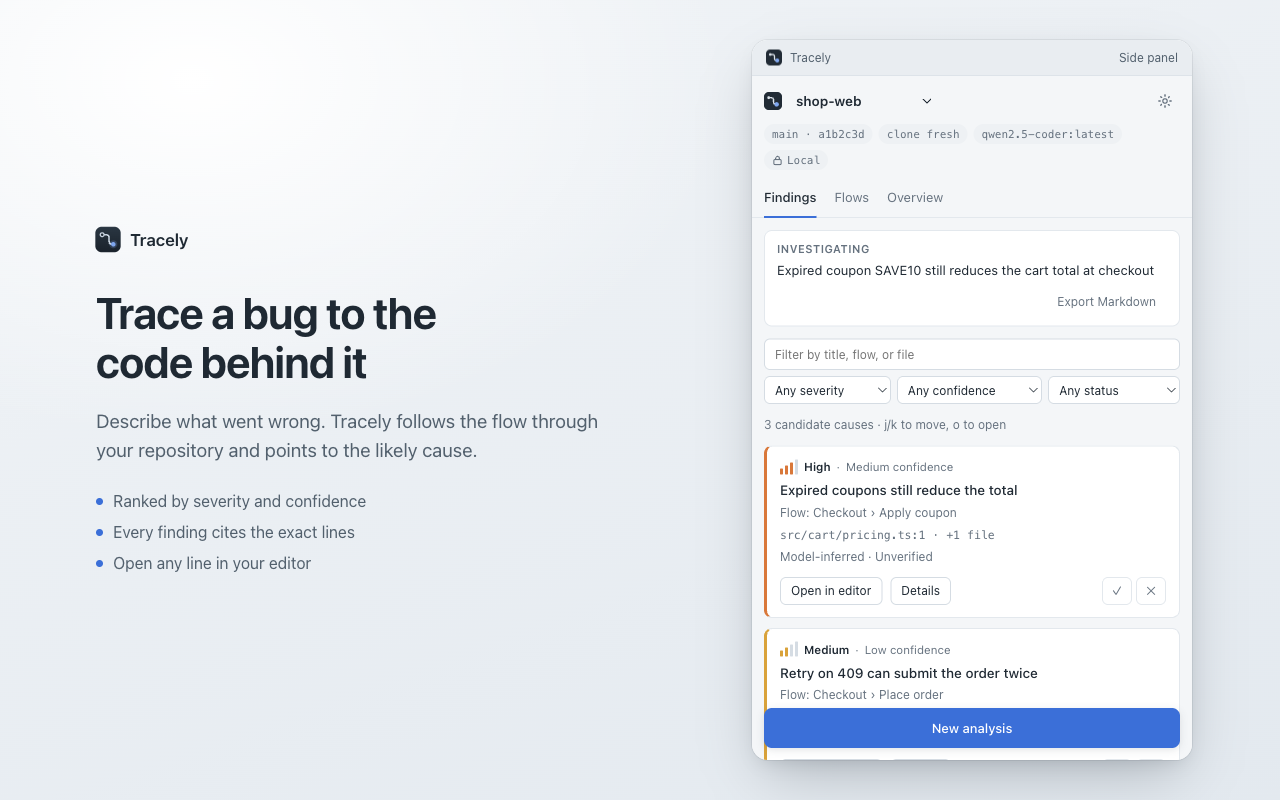
Engineers spend hours manually jumping between bug tracker tickets, stack traces, and IDEs trying to reconstruct how a reported defect actually happened in code. Tracely brings repository intelligence directly into your browser side panel. Whether you paste a raw stack trace, open a Sentry exception, or summarize an issue in plain English (e.g., "Checkout is slow when switching payment methods"), Tracely translates the symptom into code terms, charts the relevant execution path across your codebase, and pinpoints the probable defect.
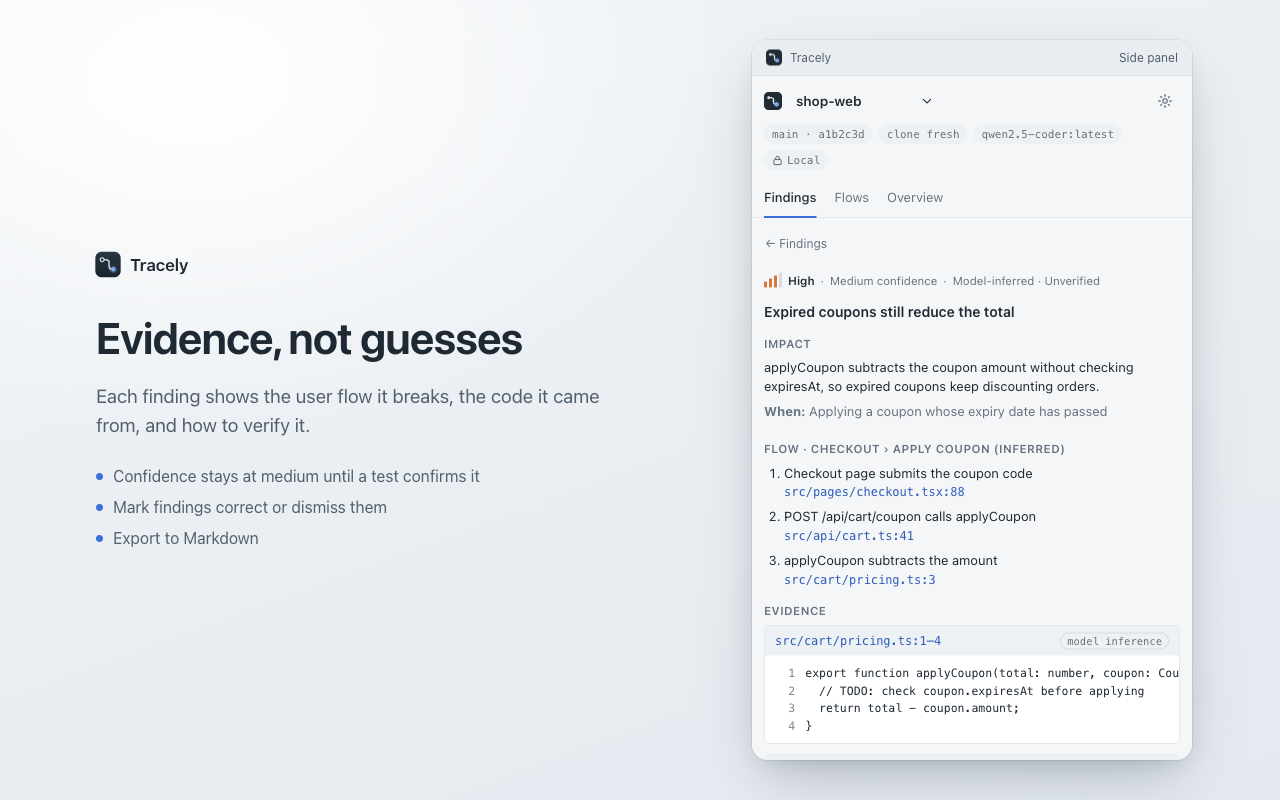
Crucially, Tracely delivers grounded findings, not speculative guesses. Every finding explicitly names the user flow it disrupts, cites exact source lines from your repository, details step-by-step verification instructions, and keeps confidence at medium until a real automated test confirms the behavior.
Key Features
1. Grounded Root-Cause Identification
Rather than providing generic LLM advice, Tracely connects symptoms to real code paths. It parses error messages, stack traces, and issue descriptions to reconstruct the sequence of function calls and state changes leading to the failure. Every reported issue links directly to source files with line-numbered citations and suggested remediation steps.
2. Deterministic Code Mapping Without AI Costs
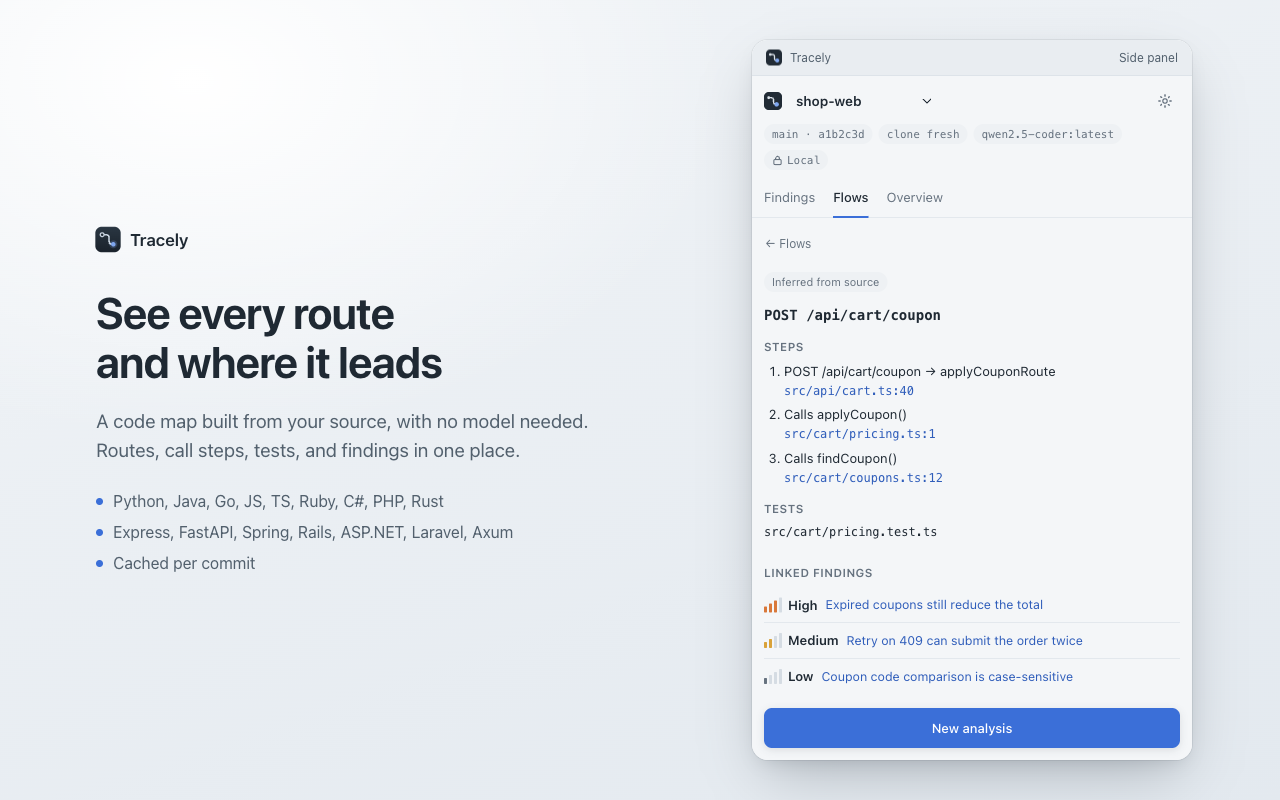
You don't need to burn API tokens just to navigate call trees. Tracely builds a deterministic local map of your codebase — routing endpoints, internal controllers, service layer calls, and linked tests across Python, Java, Go, TypeScript, JavaScript, and other popular languages.
3. Branch & Repository Risk Scanner
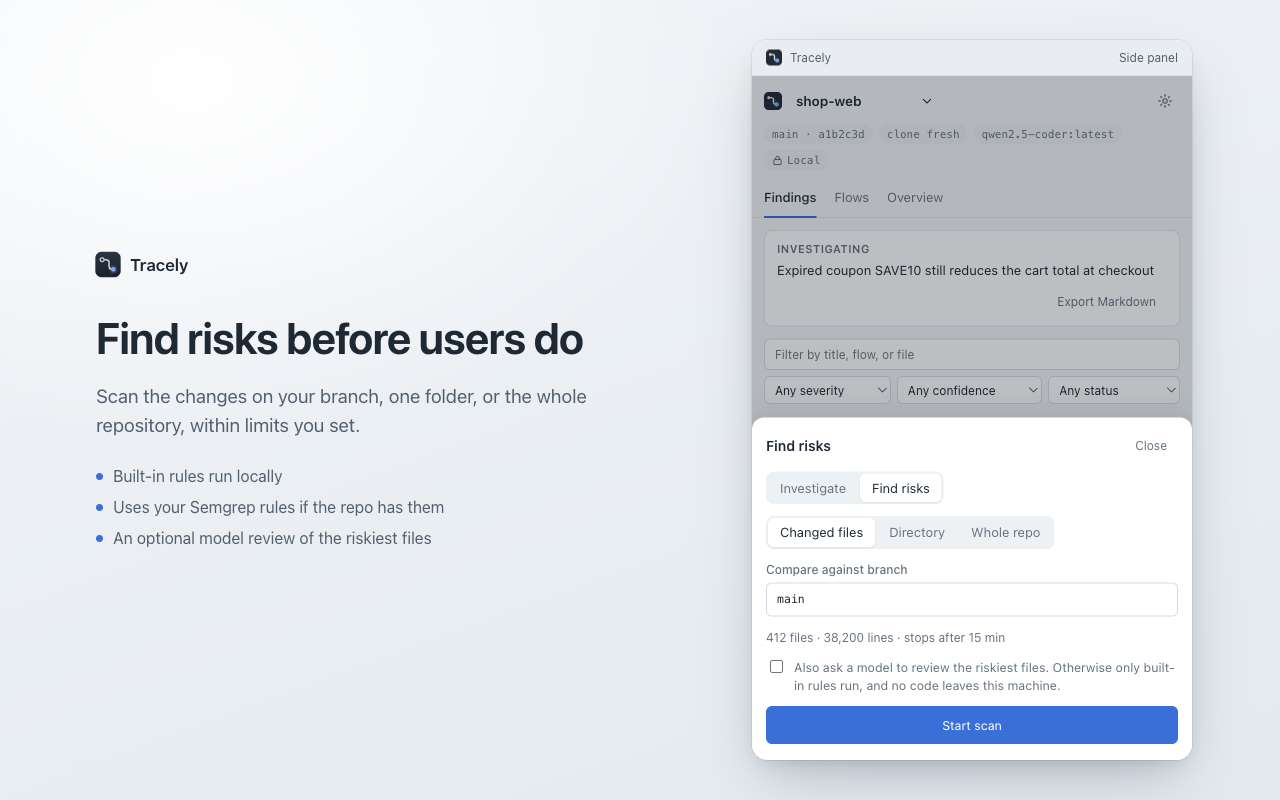
Audit incoming pull requests, branch differences, or critical folders for regressions before merging. Tracely combines built-in AST checks, your own custom Semgrep rules, and optional AI model passes to catch security vulnerabilities, unhandled edge cases, and architectural drift.
4. Test-Driven Verification
Never rely on untested assumptions. Tracely identifies which existing test files cover the impacted code and can execute the related test suite locally upon your explicit confirmation. If coverage is missing, Tracely generates a runnable regression test template tailored to the exact failure scenario.
5. 1-Click Issue Filing & Collaboration
Once a bug is traced and verified, export the entire diagnostic record. Generate clean Markdown summaries, structured JSON payloads, prefilled GitHub/GitLab issue links, or file a complete bug ticket into Jira with a single click — including repro steps, broken flow names, and code citations.
6. Local Ollama & Bring-Your-Own-Key Privacy
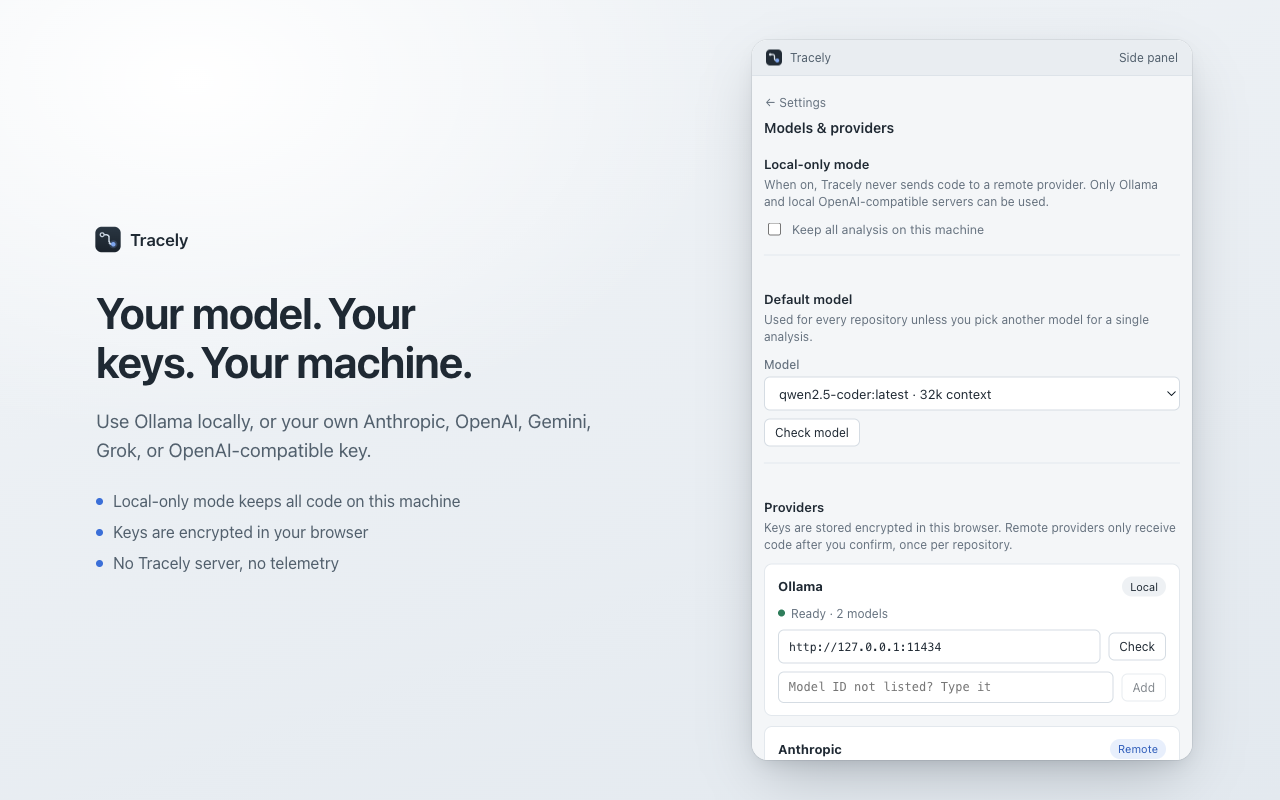
Tracely is engineered with a strict privacy-first model. There is no centralized Tracely cloud server and zero telemetry. You can run 100% locally using Ollama (e.g. Llama 3, DeepSeek, or Qwen) with zero code leaving your machine. If you choose remote cloud models, use your own Anthropic Claude, OpenAI, or Google Gemini API keys. Remote transmissions require explicit per-repository confirmation.
How to use Tracely
- Open Tracely in Chrome — launch the side panel while viewing Jira, Linear, GitHub, Sentry, or any web app.
- Input the symptom — paste a stack trace, enter an issue description in plain English, or click "Grab from Page".
- Follow the call flow — inspect the reconstructed execution path and read line-by-line code citations.
- Verify the fix — trigger the linked automated tests locally or review the proposed regression test script.
- Export or file — export findings to Jira, GitHub, or Markdown for your team.
Who it's for
Software engineers, SDETs, on-call developers, and QA leads who need to triage bugs rapidly without losing context. Tracely integrates seamlessly with bug reporting tools like Gotcha, AI code reviews with RepoSpector, API traffic mocking in Mockingbird, and prompt testing via litmus.
FAQ
Does Tracely require a companion service? Yes. To inspect local repositories securely without uploading your source code to the cloud, Tracely connects to a lightweight local companion daemon running on your computer.
Can I run Tracely completely offline? Yes. When configured with local Ollama, all analysis happens entirely on your machine with zero internet connection required.
Does Tracely store or transmit my API keys? No. All API tokens and credentials are encrypted directly in your browser's local storage and never sent to any Tracely server.
Which programming languages are supported? Tracely maps routes, call paths, and test relationships across Python, JavaScript, TypeScript, Go, Java, and other common backend/frontend languages.
Is Tracely free? Yes. The Chrome extension is completely free on the Chrome Web Store.